PicoPaaS architecture, 2026-10-26
How PicoPaaS fits together today: the request path, a database-driven reconciler, per-app namespace isolation, quota enforcement, database placement, and the roughly $75.30 a month cost model.
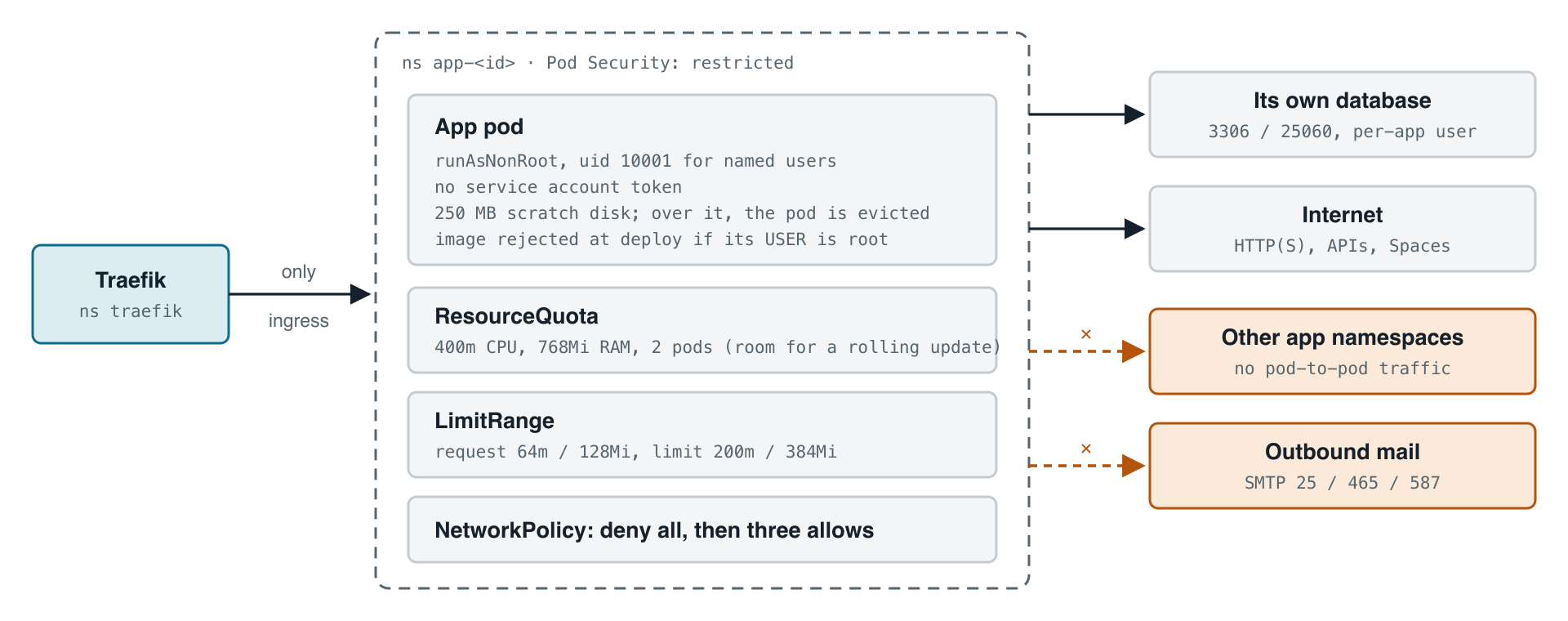
Here is how PicoPaaS is put together as of today, 2026-10-26. It is a small platform for throwaway projects: each app is one Docker image with environment variables and secrets, plus an optional database and storage bucket. It runs on DigitalOcean Kubernetes in NYC3. Each pod requests 64m CPU and 128Mi of memory, and is capped at 200m and 384Mi. The image limit is 512 MB, the database cap is 50 MB and the bucket cap is 100 MB.
How a request reaches an app
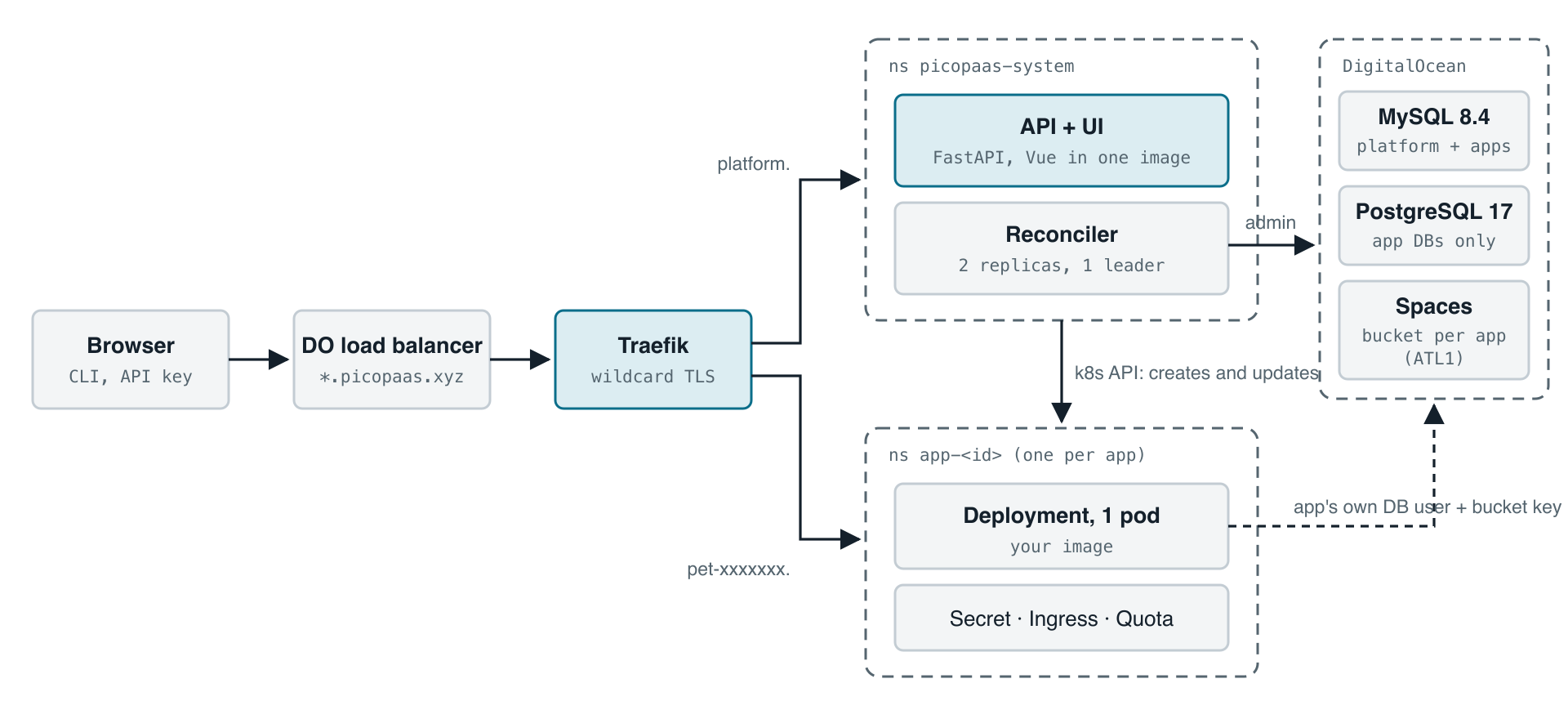
One wildcard DNS record for *.picopaas.xyz points at a DigitalOcean load balancer, which feeds Traefik. Traefik serves one wildcard certificate, issued by cert-manager through a DNS-01 challenge, and routes by hostname either to the platform or to one app's namespace. No app ever triggers its own Let's Encrypt request, so there is no rate limit to hit.
The database is the desired state
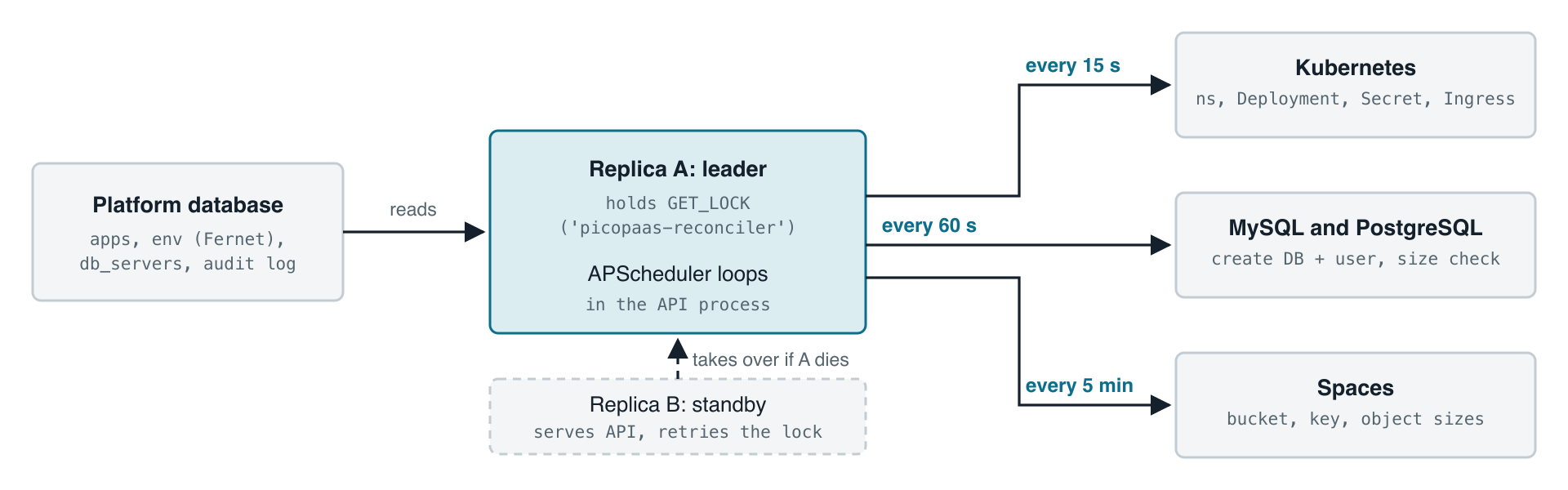
There is no operator and no CRD. The platform database records what each app should look like, and a loop converges Kubernetes, the database servers and Spaces toward it. Two API replicas run so deploys and node drains do not take the API down. A MySQL GET_LOCK decides which replica is the leader and runs the loop in-process. The other replica keeps serving the API and retries the lock, so it takes over if the leader dies.
One namespace per app
Every app gets its own namespace with a ResourceQuota, a LimitRange, Pod Security set to restricted, and a default-deny network policy. Ingress is allowed only from Traefik. Egress is allowed to the internet and to the app's own database. Other app namespaces and outbound mail ports (25, 465, 587) are blocked. Pods run as non-root with no service account token, and an image whose user is root is rejected at deploy time.
Quota enforcement
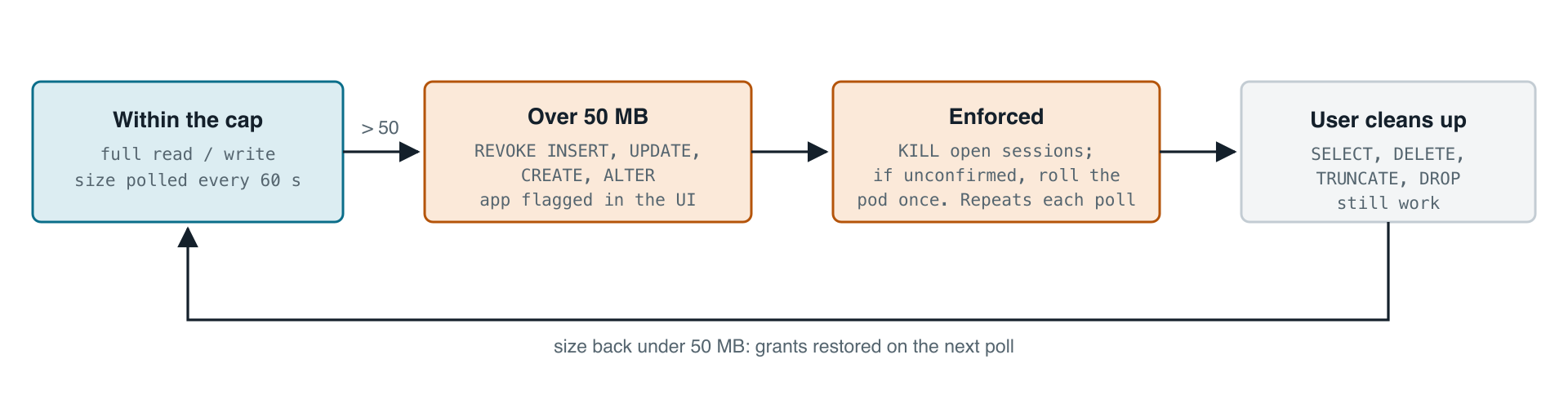
MySQL has no per-database quota, so the reconciler measures size itself every 60 seconds. Above 50 MB it revokes INSERT, UPDATE, CREATE and ALTER, flags the app in the UI, and kills open sessions, since a revoke does not touch connections that are already open. If that cannot be confirmed, it rolls the pod once. SELECT, DELETE, TRUNCATE and DROP keep working so you can clean up, and grants come back on the next poll once you are under the cap. Blob storage works the same way every 5 minutes: over 100 MB the bucket key is swapped to read-only, and a platform-side delete endpoint restores it after cleanup.
Database placement
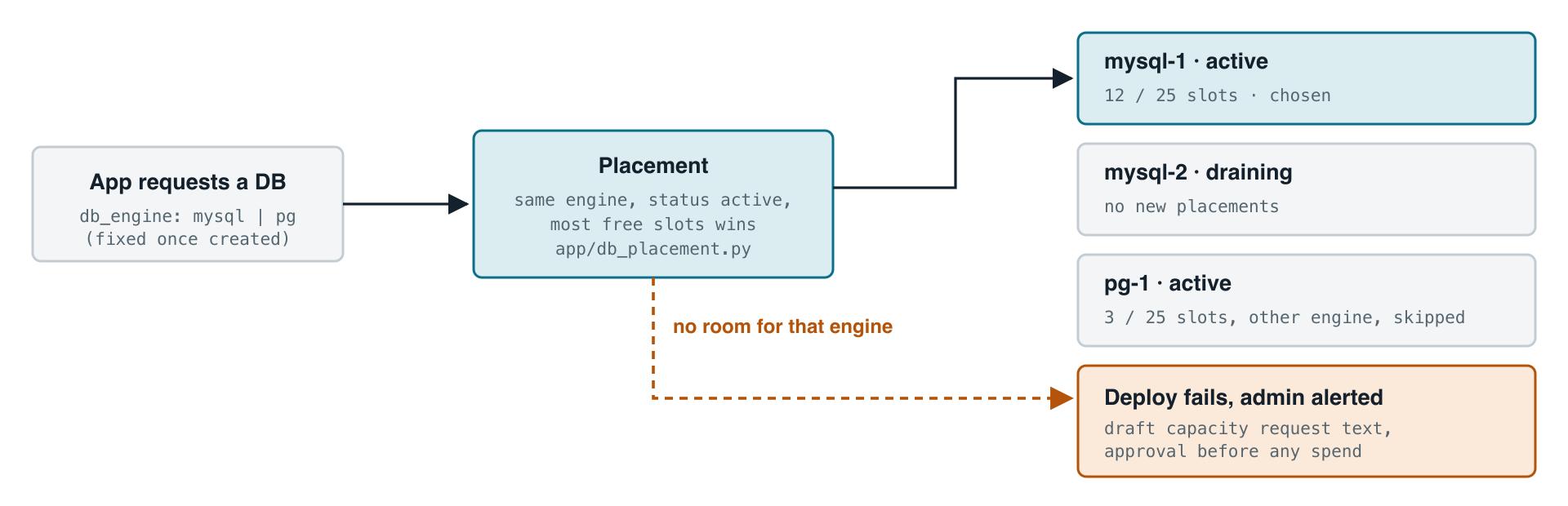
Database servers are rows in a db_servers table, one pool per engine (MySQL 8.4 or PostgreSQL 17). A new database goes on the active server of the requested engine with the most free slots. The real limit is connections, not disk: about 76 per server at roughly 10 per app user gives about 25 app databases per server. If there is no room, the deploy fails with a clear error and the admin is alerted at 80% of capacity. The platform tracks capacity but never buys infrastructure on its own.
What it costs
The baseline is about $75.30 a month: $28 for the worker node, $15.15 each for managed MySQL and managed PostgreSQL, $12 for the load balancer and $5 for Spaces. The control plane, DNS, VPC, image registry, CI and TLS add nothing. If the autoscaler brings up its second node the worst case is about $103.30.
An extra app costs nothing until the node fills up (roughly 8 to 12 apps), and then about $2.50 to $3.50 a month. A database or bucket adds nothing inside the existing plans. The walls to watch are node capacity, about 25 databases per server, and DigitalOcean's limit of 100 Spaces buckets per account.